
Android beta - sideloaded from laupin.ca
WhisperTether
Automatically turn on your Android Wi-Fi hotspot when a paired Bluetooth device connects, so your car, laptop, or other device gets online without digging through Quick Settings.
30-day free trial, then a $10 USD one-time license. No subscription. No account.
Requirements
- Android 8.0 (API 26) or newer is the technical minimum. The self-serve setup guide is written for Android 11+ because it depends on Wireless Debugging. Android 8-10 users may need a separate Shizuku startup method that is not documented here.
- Shizuku running on the same device. The app includes a one-tap link to install Shizuku from the Play Store or rikka.app.
- Developer Options and Wireless Debugging enabled for the standard setup path. The setup guide deep-links to the relevant Android Settings screen.
- A paired Bluetooth device to use as the trigger for Android hotspot automation.
Install and setup
1. Allow sideloaded APK installs
Android requires permission for whichever app handles the install, usually your browser. Open Settings → Apps → Special app access → Install unknown apps, choose your browser, and turn Allow from this source on.
2. Download WhisperTether
Tap Download APK on your Android device. When the download finishes, open it to install. The Android package installer will show the app name and requested permissions before you confirm.
3. Start Shizuku
Open WhisperTether and tap View setup guide. It walks through installing Shizuku, enabling Wireless Debugging, pairing Shizuku, and granting WhisperTether permission to use Shizuku for hotspot control. The guide is also reachable from About → Setup help.
4. Pick the Bluetooth trigger
Choose one paired Bluetooth device, such as your vehicle head unit or laptop. When that Bluetooth device connects, WhisperTether enables the Wi-Fi hotspot. When it disconnects, the app can optionally turn the hotspot off again.
Screenshots


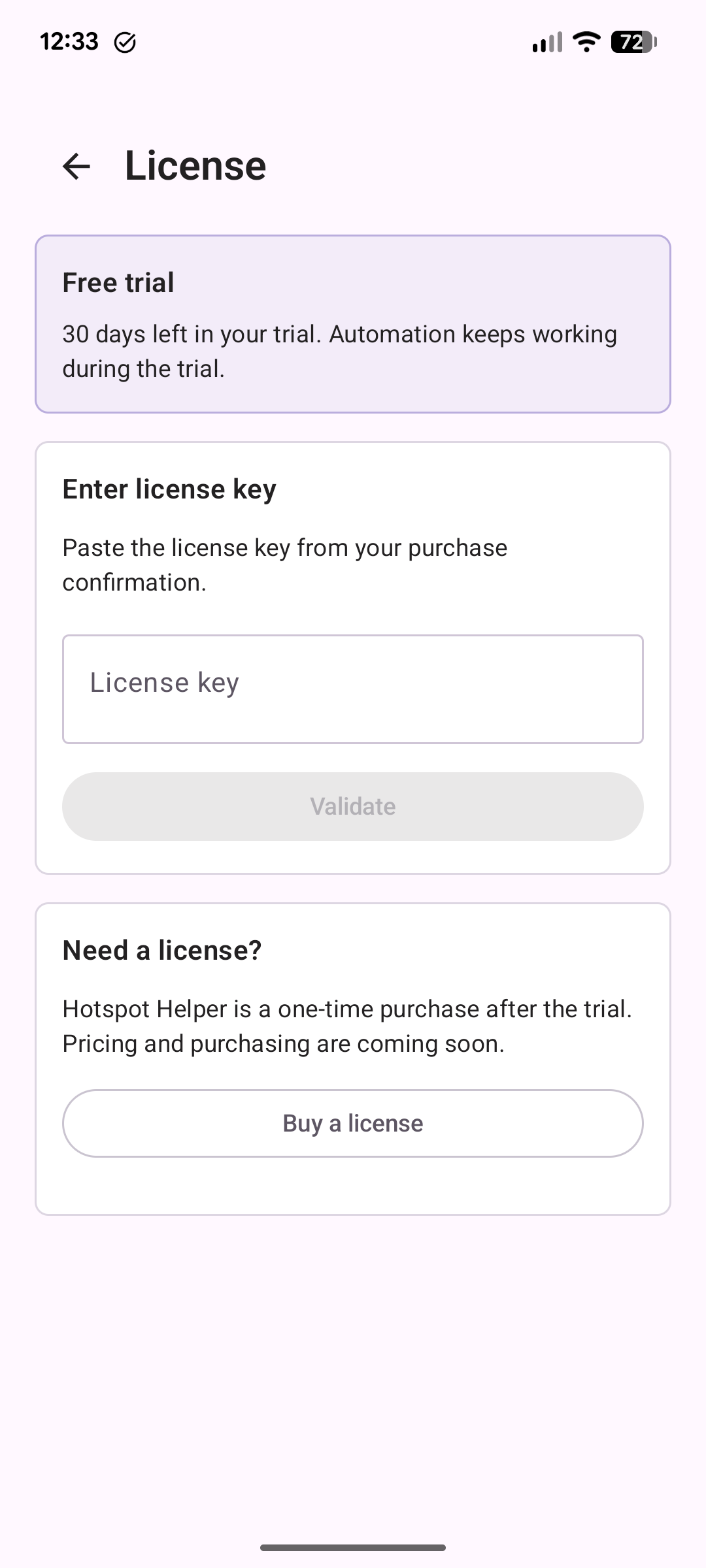
Trial and license
WhisperTether is free to use for 30 days. After the trial, a one-time $10 USD license re-enables the hotspot automation. It is built and maintained by one developer, with no subscription and no account.
The public checkout will be a Lemon Squeezy hosted page. Lemon Squeezy is the merchant of record, which means they process the payment, tax/VAT, and receipt. The app itself still validates the license key entirely offline.
Buy a license — $10Keys are sent manually at this early stage, so there may be a short delay if you buy outside normal hours.
After you buy
You will receive a license key by email and on the Lemon Squeezy receipt page shortly after purchase. Open WhisperTether, go to About → License, paste the key, and tap Validate. The automation stays unlocked, and you can re-enter the key if you reinstall or move to another device.
If your key has not arrived within a day after checkout is live, open an issue on GitHub.
Updating
The app checks laupin.ca on launch for newer releases. When
one is available, a banner appears at the top of the main screen with a
direct download link. You can also tap Check for updates
now on the About screen, or turn automatic checks off.
Privacy
WhisperTether reads your paired Bluetooth device list and stores the
address of the one you choose, locally on the device. It does not transmit
Bluetooth data anywhere. Your license key, once entered, is also stored only
on the device and is never transmitted. The only network request the app
makes is the update check against
laupin.ca/apps/whispertether/updates.json. Read the full
privacy policy for details.
For advanced users: verify the download
These checks confirm the sideloaded Android APK matches what was published.
File hash
The SHA-256 of the current APK is published separately at latest.apk.sha256. From a workstation:
# Windows (PowerShell)
(Get-FileHash -Algorithm SHA256 whispertether.apk).Hash.ToLower()

# macOS / Linux
shasum -a 256 whispertether.apk
Compare the result to the file at the URL above. The
.sha256 file is served directly from laupin.ca,
while the APK itself redirects to GitHub Releases, so a single-host
compromise cannot quietly produce a matched pair.
Signing certificate fingerprint
Once installed, you can confirm the app was signed by the same key every WhisperTether release uses. The SHA-256 fingerprint of the signing certificate is:
SHA256: 99:26:FD:C5:C8:A0:91:63:EB:BE:6A:71:D6:82:4A:14:44:00:67:4B:76:86:A3:41:64:AB:8A:86:3B:A6:FF:30
Tools like
apksigtool
or the Android SDK's apksigner verify --print-certs can read
the same fingerprint out of an installed APK or a downloaded one.
Source and releases
Published APKs and release notes live on the Laupin-ca/whispertether repository on GitHub. The source code lives in a separate repository. If you want to follow development, file an issue, or sanity-check a release before installing, start with the GitHub releases page.